TL;DR: your brand is becoming part of the Shopping result
Merchant Center Brand Profile is not just another settings area. It is part of Google’s broader move to help shoppers evaluate brands directly in Search. The stronger your product feed, brand content, shipping information, returns policy, promotions, videos, social profiles and trust signals are, the more complete your brand presence can become.
The practical takeaway: ecommerce brands should treat Merchant Center like a brand visibility platform, not only a product feed tool. Your profile should be clean, accurate, image-rich, video-supported and consistent with your website.
What is a Google Merchant Center Brand Profile?
A Brand Profile on Google Search is a merchant-facing brand presentation that can showcase product pictures, brand imagery and business information. Google says the information can be sourced from your website, your Merchant Center account, licensed third-party data and public sources. Some information can be updated through Merchant Center, including elements such as promotions, loyalty program benefits, products, shipping details, return policies and social media links.
That means Google is not only looking at what you sell. It is also trying to understand the brand behind the catalogue.
Why Google is building Brand Profiles for ecommerce
Online shopping has a trust problem. Customers want to know whether a store is real, whether delivery is clear, whether returns are fair, whether the brand has a reputation and whether the product range looks legitimate. Google’s Brand Profile helps bring more of that information into the search experience before the shopper even lands on your website.
Trust
Shows brand, policies, product range and social proof in one place.
Discovery
Gives shoppers a richer way to browse the brand from Search.
AI readiness
Gives Google stronger structured and visual information about the retailer.
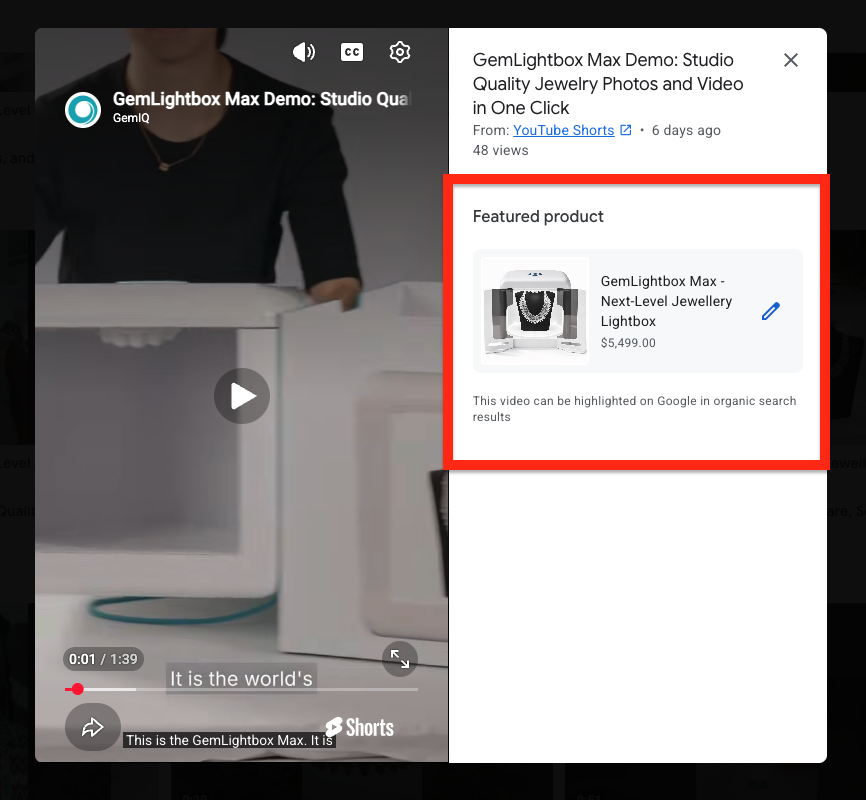
For ecommerce SEO, this matters because brand reputation and entity clarity are becoming more important. A store with incomplete brand signals looks weaker than a store with clean product data, strong visuals, videos, policies and social links. Brand Profile also works closely with the video assets you manage in Merchant Center — see how in our guide on linking YouTube videos to products in Merchant Center.
Brand Profile vs Google Business Profile
These two are related, but they are not the same thing. Google Business Profile is traditionally used for local business presence on Google Search and Maps. Merchant Center Brand Profile is more focused on ecommerce brand visibility in Google Search and Shopping-related experiences.
| Feature | Google Business Profile | Merchant Center Brand Profile |
|---|---|---|
| Main purpose | Local business visibility | Ecommerce brand and product visibility |
| Best for | Stores, service areas, locations, local search | Online retailers and ecommerce brands |
| Surfaces | Search and Maps | Search and Shopping-related surfaces |
| Key assets | Location, hours, reviews, posts, services | Products, imagery, brand info, shipping, returns, promotions, videos |
| Merchant Center connection | Can support store information | Built around Merchant Center product and brand data |
What your Brand Profile can show
Depending on availability, data quality and rollout status, a brand profile can include visual and commercial information that helps a shopper evaluate your brand. This is why the setup needs to be done carefully.
- Brand logo and brand imagery.
- Product pictures and latest products.
- Business information.
- Shipping and delivery details.
- Return policy information.
- Promotions and deals.
- Loyalty program benefits where applicable.
- Videos from your brand ecosystem.
- Social media profiles where supported.
Benefits for ecommerce brands
The benefit is not just appearance. A better Brand Profile can support trust, engagement and brand recall. It gives shoppers more reasons to continue with you rather than comparing only price.
Better brand control
You reduce the chance of Google relying only on incomplete public data.
Stronger shopper confidence
Policies, imagery and product information help remove friction.
More visual impact
Logos, imagery and video help your brand feel more established.
Promotion visibility
Deals and offers can support higher intent shoppers.
Entity consistency
Your website, feed, socials and brand assets point to the same business.
AI commerce readiness
Cleaner brand information gives AI systems more reliable context.
Brand Profile setup checklist
Before you touch the profile, clean the basics. A Brand Profile built on messy feed data, weak policies and inconsistent branding will not do the job properly. For the full feed optimisation picture, read our complete Google Merchant Center optimisation guide.
- Check your Merchant Center business details.
- Confirm website verification and claimed domain.
- Review product feed health, disapprovals and missing identifiers.
- Upload or manage your brand logo where available.
- Check that shipping information is accurate.
- Check that return policies are clear and consistent with your website.
- Add current promotions where relevant.
- Add social profile links where the feature is available.
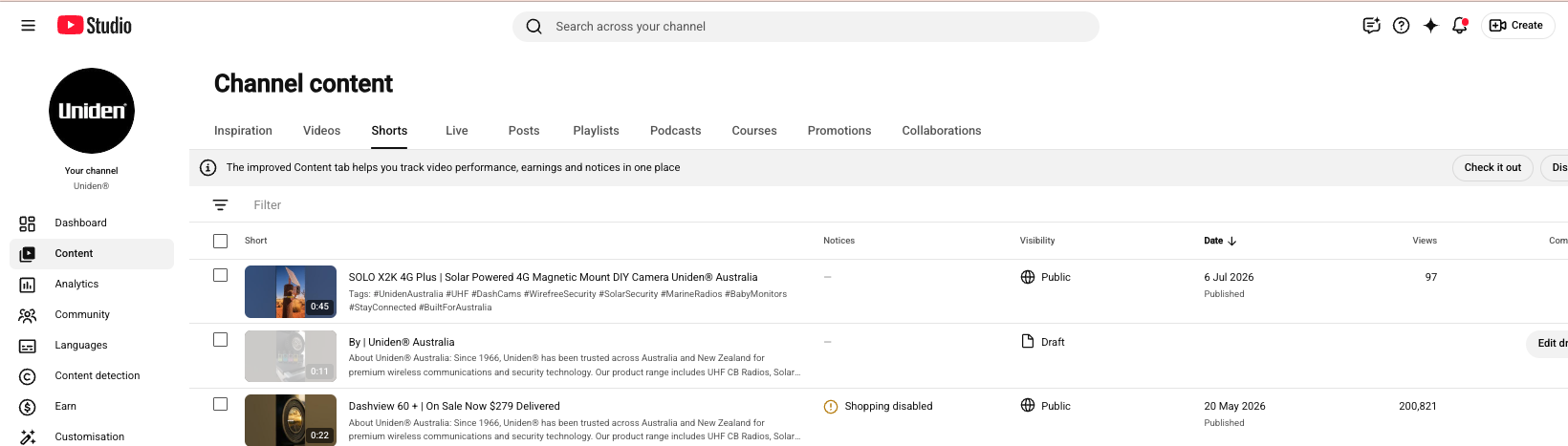
- Review videos under Video assets and manage brand profile video usage.
- Search your exact brand name and review how the profile appears.
Important: Google has rollout limitations. Some features may not appear in every account or every country at the same time. Work with the features available in your account and keep checking as Merchant Center evolves.
Assets every ecommerce brand should prepare
A proper Brand Profile needs more than a logo. Prepare a brand asset folder so your team can keep Merchant Center, your website, YouTube, paid ads and social channels consistent.
| Asset | Recommended use | Notes |
|---|---|---|
| Square logo | Brand profile and small-scale placements | Keep it clean and readable on mobile. |
| Brand cover imagery | Visual brand presentation | Use lifestyle or product range imagery. |
| Best-seller product images | Shopping and brand profile presentation | Use clean backgrounds and consistent naming. |
| Brand video | Brand story and trust | Short, clear and customer-focused. |
| Product videos | Product listing enrichment | Match videos to individual products where possible. |
| Shipping and returns copy | Trust and policy clarity | Keep it consistent across site and Merchant Center. |
| Social links | Brand legitimacy | Add official profiles only. |
Common mistakes to avoid
Most brands will underuse this feature. The mistake is thinking the profile is something to fill out once and forget. It should be managed as part of ecommerce operations.
- Using an old or blurry logo.
- Having different business names across Merchant Center, website and socials.
- Leaving shipping and return policies vague.
- Not connecting product videos to products.
- Using generic brand videos instead of commercial product content.
- Ignoring feed disapprovals while trying to improve brand presentation.
- Adding social profiles that are inactive or off-brand.
- Not reviewing how the profile appears in live Google Search.
FAQs
Is Merchant Center Brand Profile available to every retailer?
Google has described Brand Profile as rolling out to ecommerce retailers over time, so availability and features can vary by account, market and rollout stage.
Can I edit everything in my Brand Profile?
No. Some information is automatically sourced by Google, while some items such as products, promotions, shipping, returns, loyalty benefits and social links may be managed through Merchant Center where available.
Is this the same as Google Business Profile?
No. Google Business Profile is more local and Maps-focused. Merchant Center Brand Profile is more ecommerce and product-focused.
Does Brand Profile help SEO?
It can support SEO indirectly by improving brand entity consistency, trust signals and product visibility. It should be part of a broader ecommerce SEO and Merchant Center strategy.
What should I update first?
Start with business details, product feed health, logo, shipping, returns, promotions, social profiles and product videos.
Final word
Merchant Center is no longer just a place to submit products to Google Shopping. It is becoming a brand, product and AI commerce platform. Ecommerce brands that clean up their profile, enrich their products and connect their creative assets will have a stronger foundation than competitors still treating Merchant Center as a basic feed upload tool.