Your Social Posts Are in Google Search. Here’s How to Track Them.
Google Search Console Now Tracks Your Social Content
Instagram, TikTok, X and YouTube are no longer a blind spot. Google’s new Platform Properties reveal which searches surface your social content—and which posts earn the click.
Console
For years, Google Search Console showed how a website performed in Google Search. Useful, certainly—but incomplete.
TikToks were appearing in Google results. Instagram Reels were being discovered beyond Instagram. YouTube videos were ranking for commercially valuable searches. Brands could see native social views, but they could not see the complete Google search demand behind that visibility.
That changed in July 2026. Google introduced Platform Properties, a new Search Console property type for social accounts and video channels. On 29 July, Google confirmed the feature was globally available.
Brands and creators can now connect Instagram, TikTok, X and YouTube accounts, then examine how their content performs across eligible Google surfaces. This is first-party search data: clicks, impressions, click-through rate, position, content performance and the searches behind discovery.
What Are Platform Properties?
Platform Properties sit beside the website properties already familiar to Search Console users. Instead of verifying a domain, you connect an eligible social account or channel through Google’s guided ownership process.
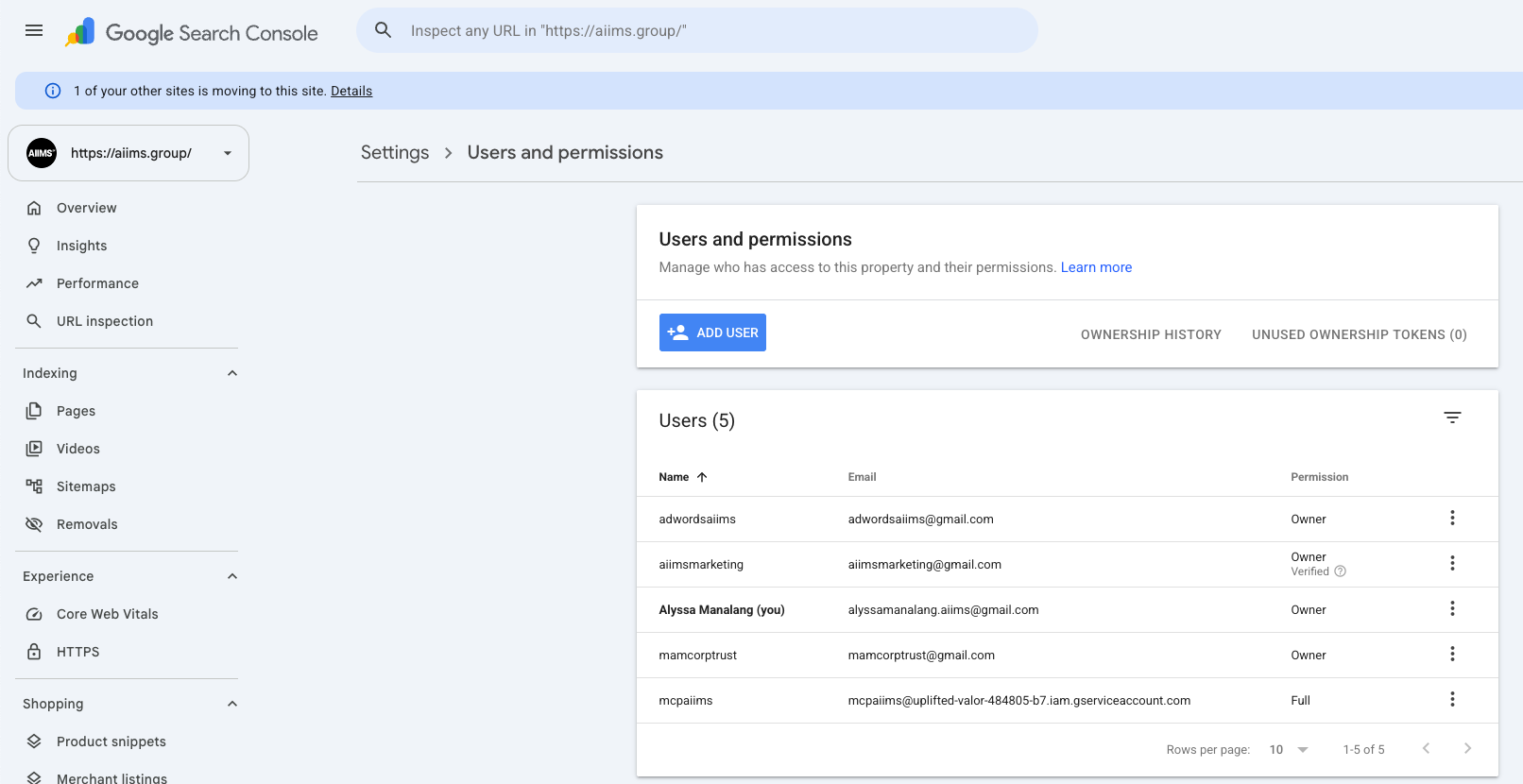
Each connected account becomes its own property. One Instagram account is one property. A YouTube channel is another. If a business manages several profiles on the same platform, each profile is added and measured separately.
Three Views That Change the Social SEO Conversation
The value is not another dashboard. It is the connection between social content, Google visibility and observable search behaviour.
Measure discovery
Review clicks, impressions, average CTR and average position. Filter by content, query, country, device, search appearance and date where available.
Read the trend
See traffic movement, leading content and query groups that are trending up or down, giving strategy teams a faster executive view.
Benchmark growth
Track milestones and use consistent reporting windows to show whether Google discovery of social content is strengthening over time.
How to Add a Social Account to Search Console
Setup is straightforward, but account ownership and access need to be handled properly—especially for agencies and multi-person marketing teams.
Open Google Search Console
Visit Search Console and sign in with the Google account that should initially manage the property.
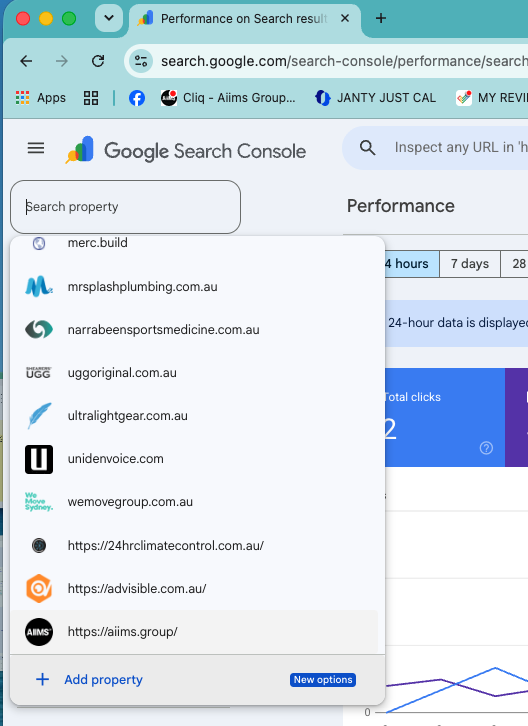
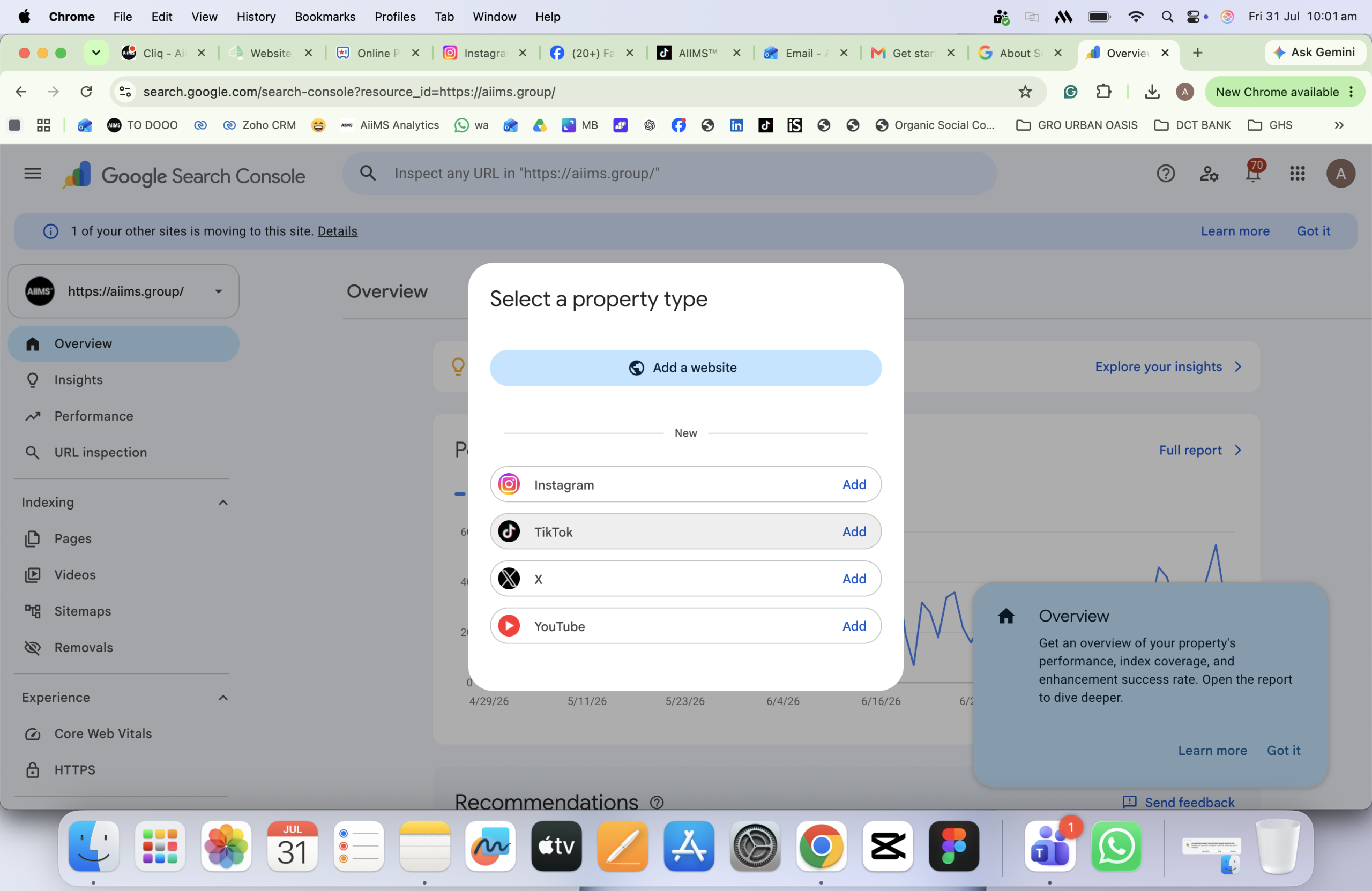
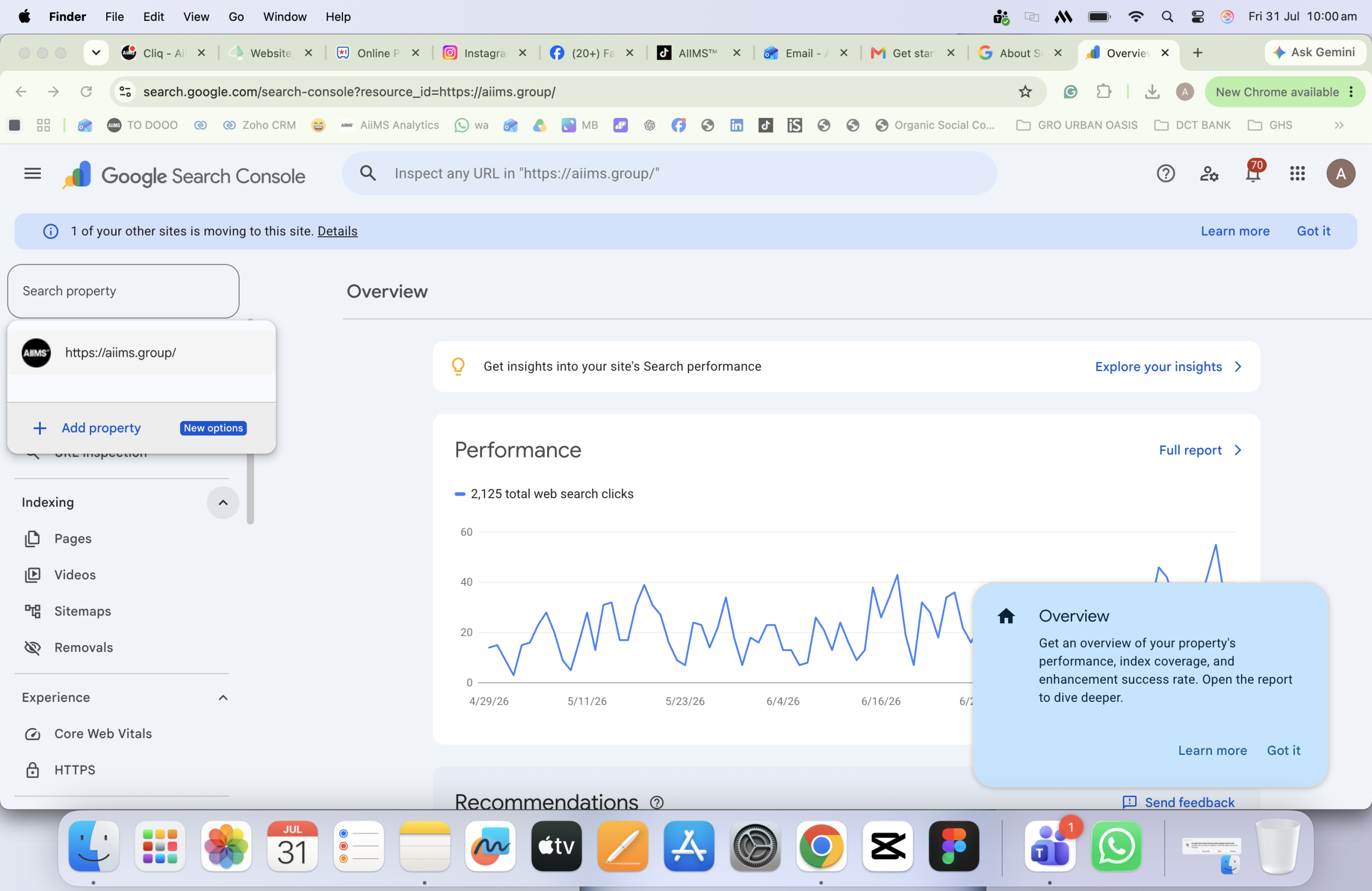
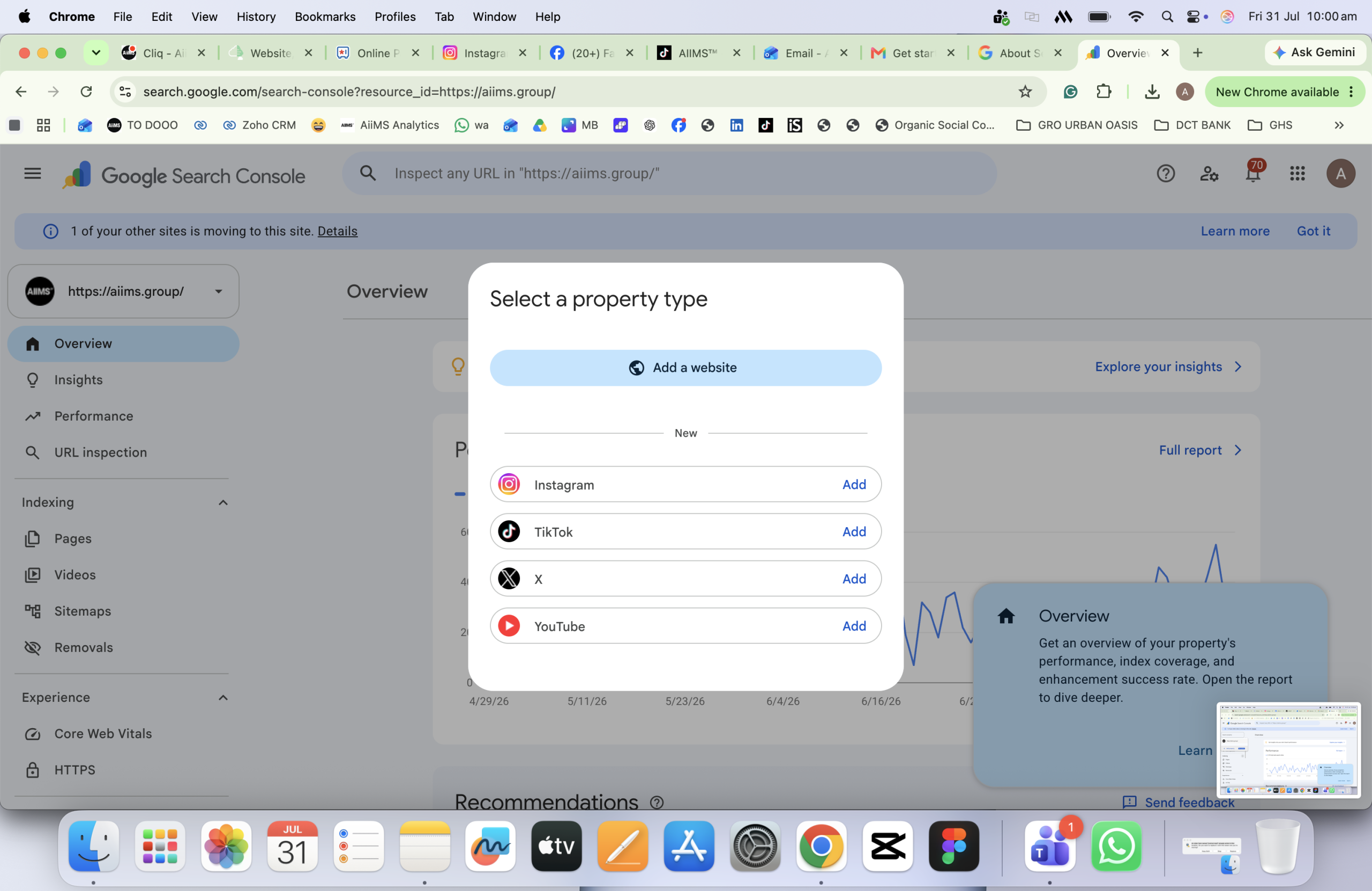
Select “Add property”
Open the property selector in the top-left of Search Console, then choose the option to add a new property.
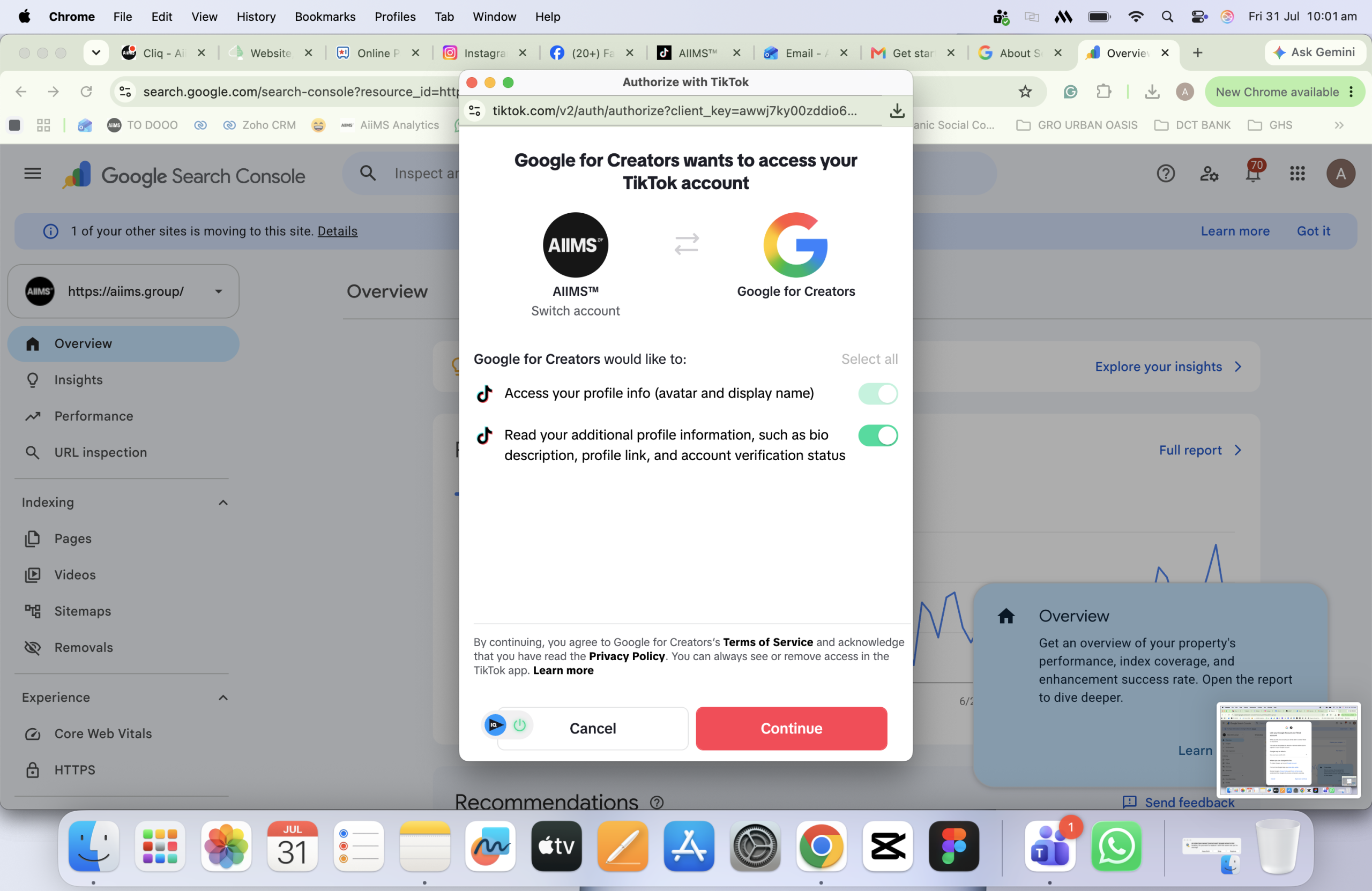
Choose the platform
Select Instagram, TikTok, X or YouTube from the supported platform options and follow Google’s prompts.
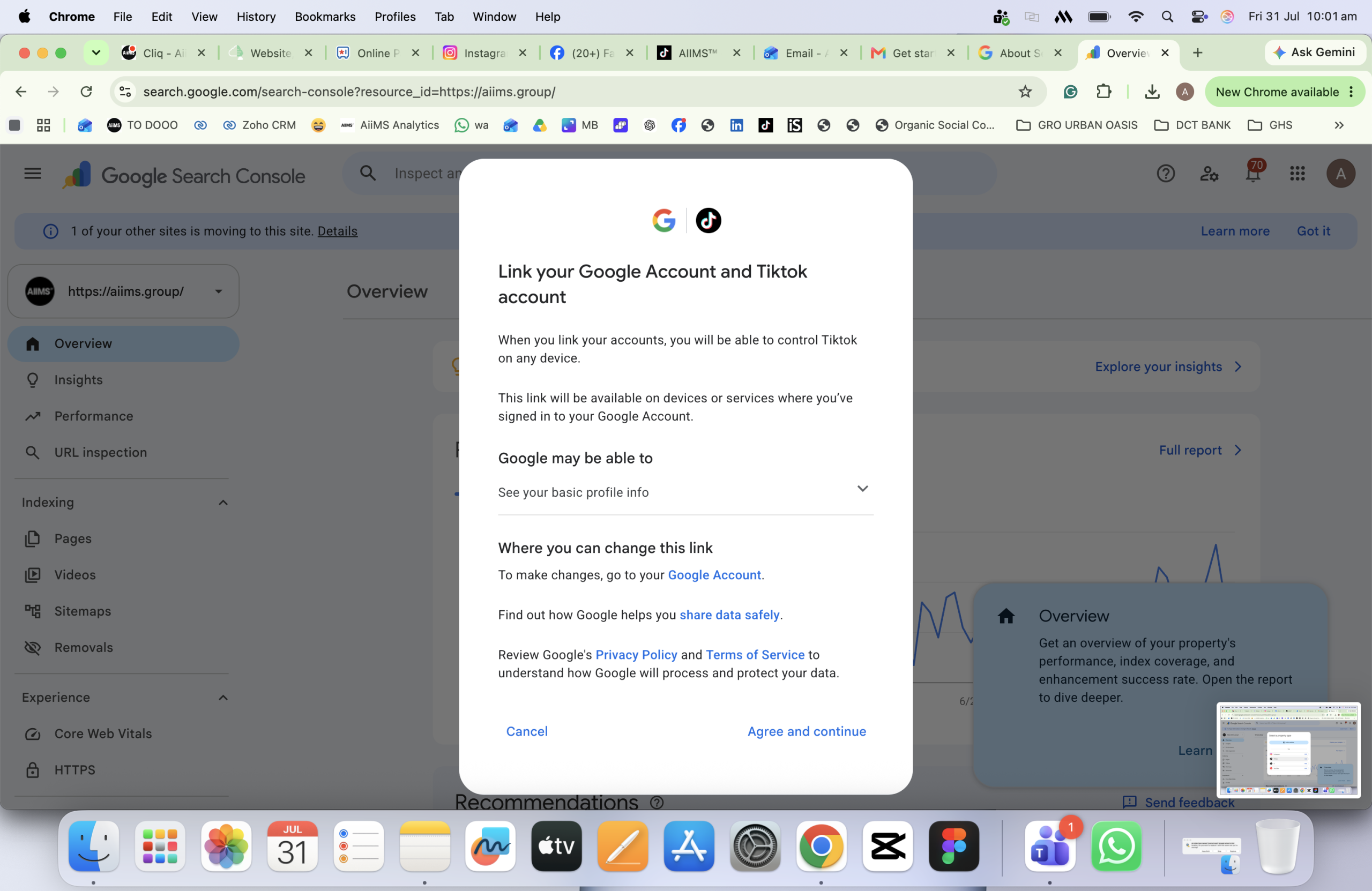
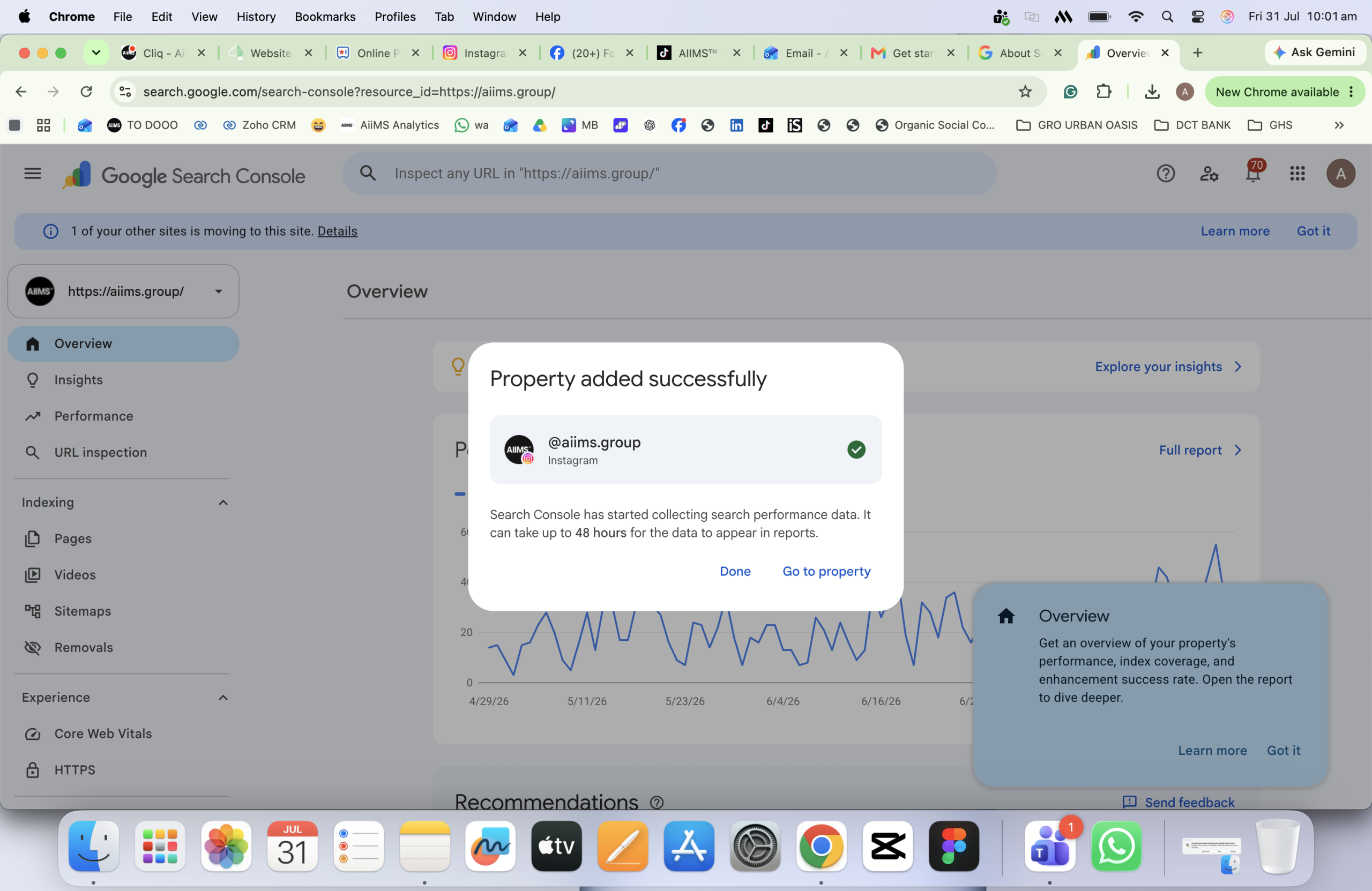
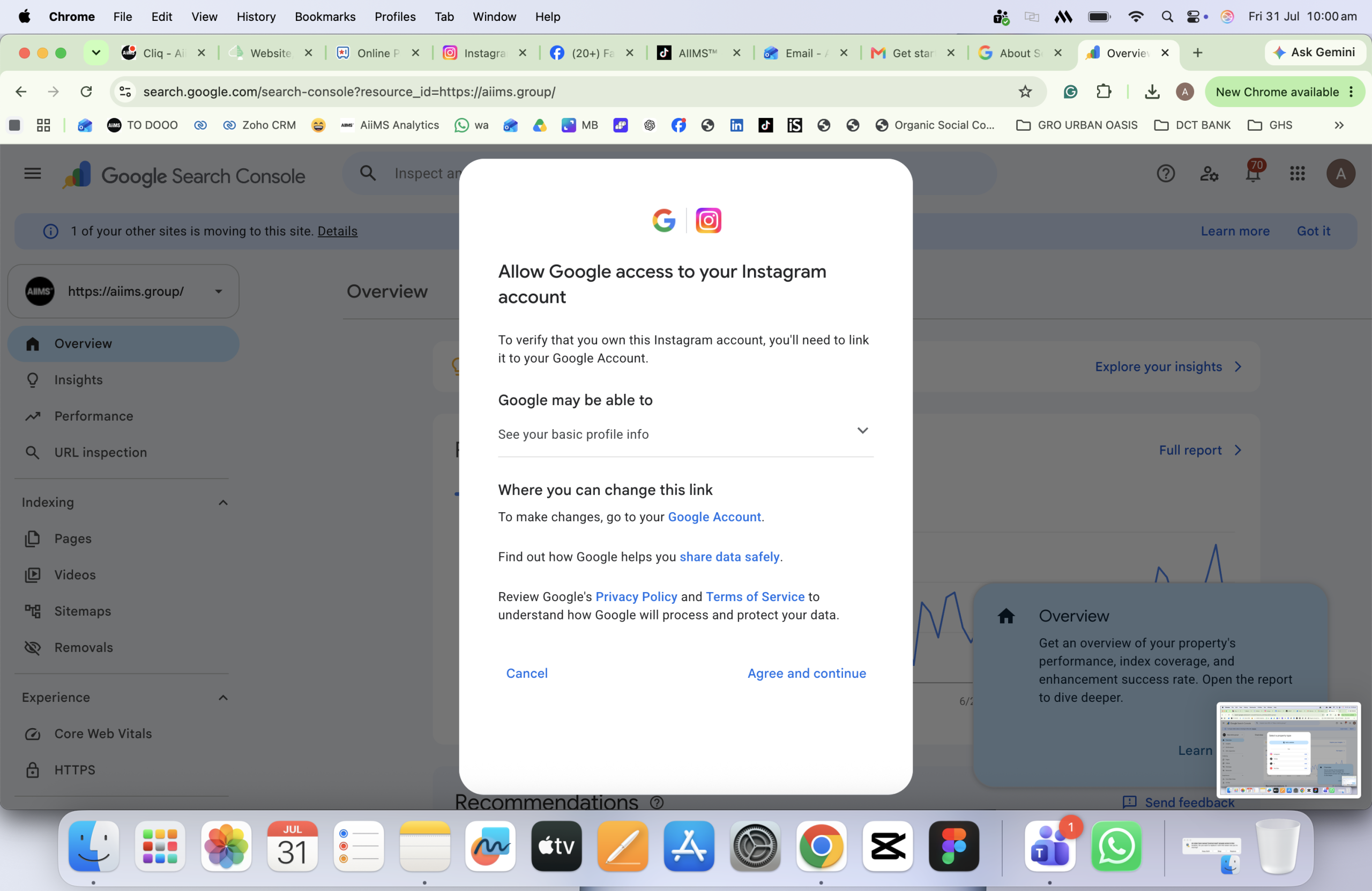
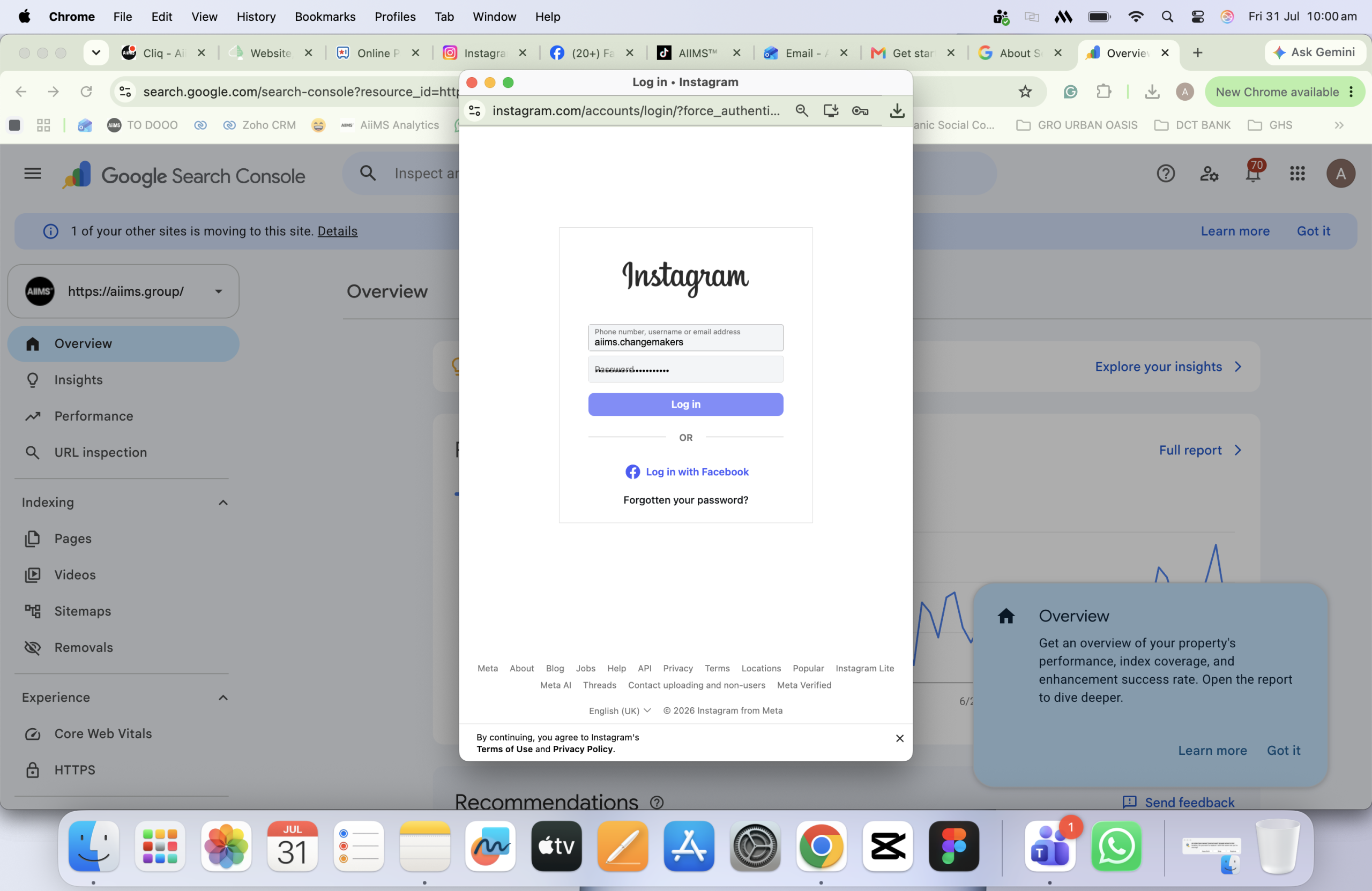
Verify the correct account
Complete the connection through the relevant platform. Check the username or channel carefully before approving the connection.
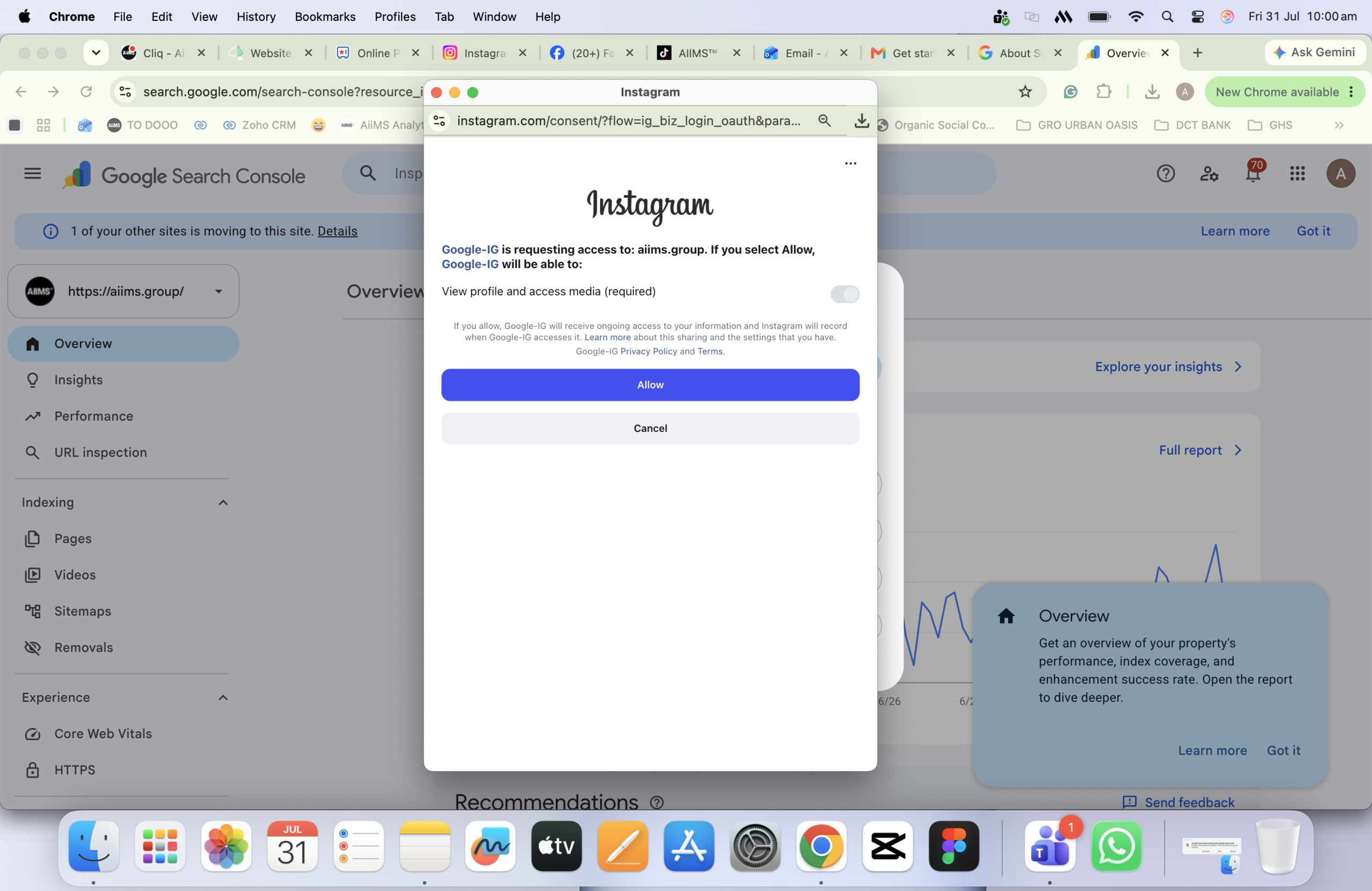
Open the property and allow data to populate
Once ownership is confirmed, open the new property. Google advises that reporting can take a few days to populate.
Repeat for every account
Add each platform account or channel as a separate property so performance remains independently measurable.
Busted
This is not reserved for major creators
Google’s 29 July announcement states that Platform Properties are globally available to everyone. A large following, creator verification or invitation is not listed as an eligibility condition.
Troubleshooting the Setup
The platform option is not visible
Refresh the Search Console session and check the property-add flow again. Google’s current help material still notes gradual rollout language in parts of its documentation, while its 29 July Search Central announcement says global availability is complete. If the option remains absent, check again later and use Google’s official help path rather than forcing a workaround.
Another person connected the account
The Google account completing verification gains access to the property. Use Settings → Users and permissions inside the connected property to add the required team or client accounts with an appropriate permission level.
No data appears immediately
That is expected. Google says it can take a few days for reports to begin showing data.
The connection stops
Google periodically checks ownership. If the external platform login expires or access changes, reporting access can pause until the property is reverified. Reverification restores access to the same reporting history.
What to Do With the New Data
Connecting the property is administration. Turning query and content data into an operating advantage is the real work.
| Signal | Likely meaning | Recommended action |
|---|---|---|
| High impressions, low CTR | The topic is visible, but the search presentation is not earning enough clicks. | Improve the title, caption and thumbnail promise without creating clickbait. |
| Rising query group | Demand or relevance is accelerating around a subject. | Publish the next useful instalment and support it with a relevant website asset. |
| Older post regaining clicks | The topic may be seasonal, news-linked or newly relevant. | Refresh, pin, reshare or build a current follow-up. |
| Social ranks; website does not | Your social authority is covering an on-site content gap. | Create or strengthen the matching service, guide or landing page. |
| One platform leads consistently | That format or audience has stronger Google discovery. | Prioritise proven investment while testing adapted versions elsewhere. |
What Platform Properties Do Not Track
This is where reporting discipline matters. Platform Properties measure eligible performance from Google surfaces. They do not replace native social analytics.
- They do not report native views inside Instagram or TikTok.
- They do not replace engagement data such as likes, comments, saves and shares.
- They do not measure in-app discovery in TikTok Search, Instagram Explore or YouTube’s native recommendation system.
- Discover and Google News reporting only appears when the account’s content receives traffic from those surfaces.
A video click may be counted even when the content opens inside Google’s viewer. Do not expect Search Console clicks to reconcile perfectly with outbound sessions or native platform analytics.
The Competitive Consequence
The old separation between SEO and social media was already becoming artificial. Platform Properties make that plain. Search teams can now see what social content earns visibility. Content teams can work from actual search demand. Performance teams can compare discovery across platforms. Brand teams can see which messages continue working beyond the original feed.
The strongest organisations will not use this as another monthly screenshot. They will connect website search data, social search data, native analytics and conversion data into one decision system.
That is the opportunity: fewer opinions, clearer intent, faster creative decisions and a measurable path from social content to search demand.
Do More Than Connect the Account. Build the Advantage.
AIIMS Group can audit your Platform Properties, connect the findings to your broader SEO and content strategy, and turn the data into an actionable cross-platform playbook.
Google Search Console Platform Properties: FAQ
Do I need a website to use Platform Properties?
No website property is required for direct platform verification. The social account or channel is connected as its own property.
Are Platform Properties available in Australia, Singapore and the UAE?
Yes. Google announced global availability on 29 July 2026, covering these markets.
How long does it take for data to appear?
Google advises that it can take a few days for reports to begin populating after the property is set up.
Can I add several accounts from the same platform?
Yes. Add each account or channel as a separate Platform Property so its performance can be tracked independently.
Does this replace Instagram, TikTok, X or YouTube analytics?
No. Platform Properties measure how eligible social and video content performs on Google surfaces. Native tools remain necessary for in-platform reach, engagement and audience behaviour.
What happens if the platform connection expires?
Access to reporting pauses until ownership is reverified. Google states that after reverification, access returns to the same report without waiting for data to accumulate again.
What is the difference between a Platform Property and a Search Profile?
A Platform Property is a private Search Console reporting property. A Search Profile is a separate Google search experience. Google notes that people who already set up a Search Profile should have access to the corresponding platform data in Search Console.